![Full Logo.png]](https://help.devicie.com/hs-fs/hubfs/Full%20Logo.png?height=30&name=Full%20Logo.png)
Overview
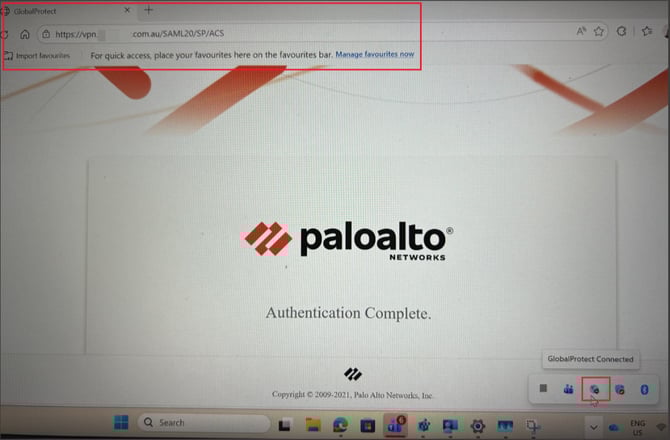
When default browser is enabled, web browsers like Google Chrome, Microsoft Edge and others trigger a notification after successful SAML authentication. Two notifications are presented, one for the portal and one for the gateway.
When the notification is presented, it requires the end user's manual attention to complete the GlobalProtect connection. 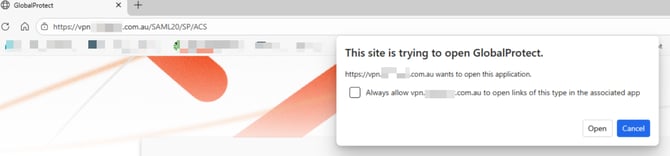
To avoid having the manual selection, the article describes how to modify the Windows Registry to suppress the notification and to provide seamless SAML authentication user experience using Microsoft Intune (Settings Catalog).
How to
- Sign into the Microsoft Intune portal.
- Choose Devices > Windows > Configuration > Select Create > New Policy
- Select Platform: Windows 10 and later and Profile Type: Settings Catalog
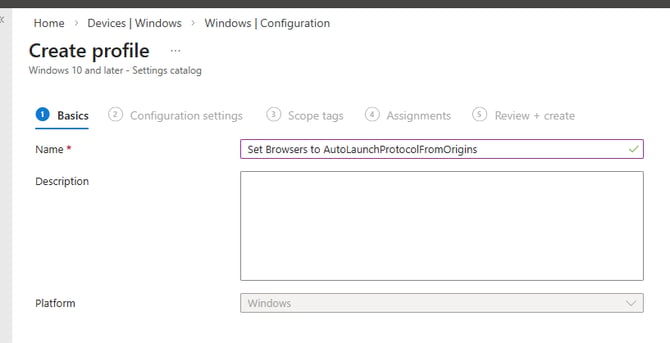
- Under create profile, give it a name like: Set Browsers to AutoLaunchProtocolFromOrigins
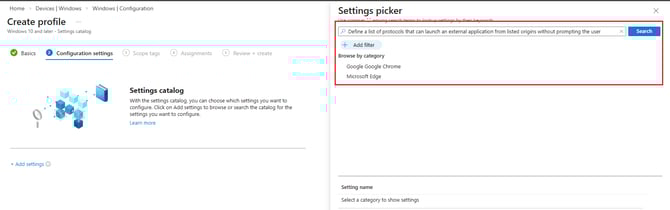
- Select Add settings and search for Define a list of protocols that can launch an external application from listed origins without prompting the user, this will appear for both Google Chrome and Microsoft Edge.
6. Select 'Enabled' for both settings.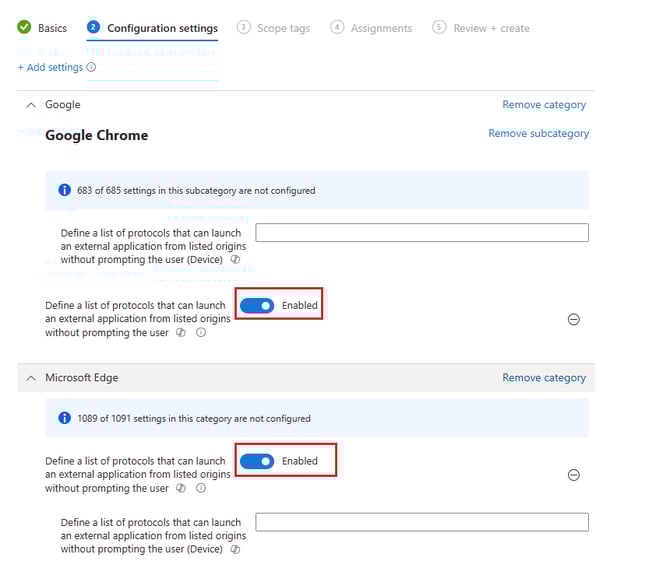
-
Under "Define a list of protocols that can launch an external application from listed origins without prompting the user (Device)", the settings would be:
- [{"protocol": "globalprotectcallback", "allowed_origins": ["sslvpn.domain.local”"]}]
OR
- [{"protocol": "globalprotectcallback", "allowed_origins": ["sslvpn.domain.local”"]}]
-
- [{"protocol": "globalprotectcallback", "allowed_origins": [“sslvpn.domain.local”,“sslvpn-1.domain.local”]}] if you have more than one
OR - [{"allowed_origins": ["*"], "protocol": "globalprotectcallback"}] a wildcard can be used
- [{"protocol": "globalprotectcallback", "allowed_origins": [“sslvpn.domain.local”,“sslvpn-1.domain.local”]}] if you have more than one
7. Once the following values have been entered, select Next and deploy to your assignments.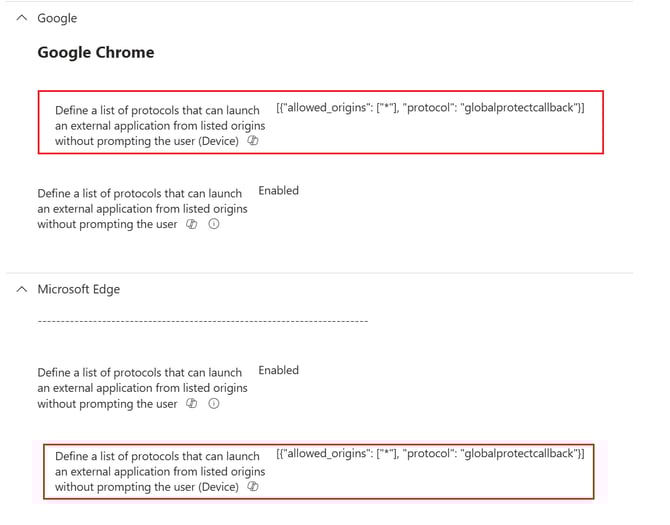
8. Once the policies have been deployed, by checking the registries: HKEY_LOCAL_MACHINE\SOFTWARE\Policies\Microsoft\Edge you will see that AutoLaunchProtocolsFromOrigins has been applied.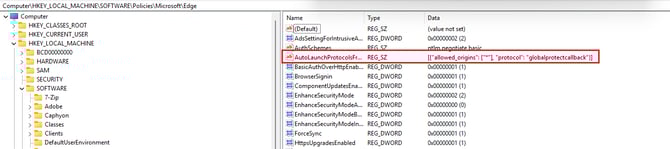
and the same settings apply to HKEY_LOCAL_MACHINE\SOFTWARE\Policies\Google\Chrome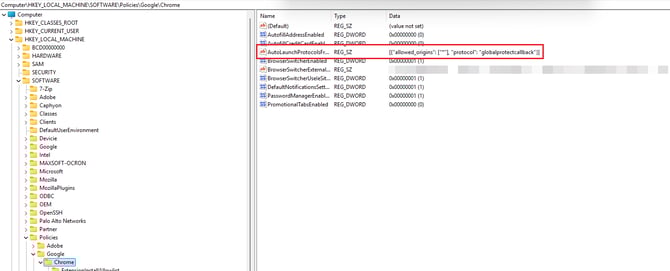
When authenticating to GlobalProtect, it automatically re-direct you to SAML being completed without having to manually tick the box.